TV installation and wall mount Terrey Hills Northern Beaches Sydney

Wall Mounting Northern Beaches Sydney

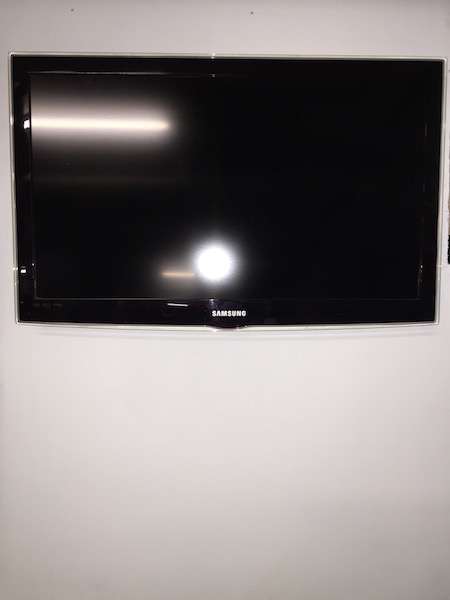
With this TV installation and wall mount Terrey Hills Northern Beaches Sydney the customer had moved from Seaforth on the Northern Beaches Sydney to Terry Hills on the Northern Beaches. I had to set up install 3 x TV’s, Fetch TV, Apple TV, Netflix and then wall mount a new Samsung LCD TV onto the wall.

The Samsung TV was mount onto a swivel bracket in the downstairs tv room.   The cables we nicely hidden in the wall to give a clean look.

Wall Mounting Northern Beaches Sydney

Peter can help you with all your audio visual needs.  Peter has been servicing the Northern Beaches and north Shore for the last 14 years.   Call Peter on 0401 202 087

tv-installation-northern-beaches-north-shore-Sydney


TV installation and wall mounting Bilgola Plateau Northern Beaches Sydney

TV installation and wall mounting Bilgola Plateau Northern Beaches Sydney

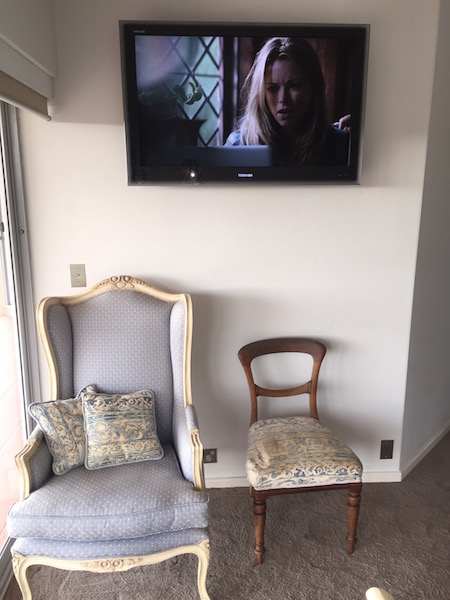
With this TV installation and wall mounting Bilgola Plateau Northern Beaches Sydney the customer had moved only a couple of doors down the road.

Peter from That TV Guy had to remove the Toshiba LCD TV and wall bracket from the old house and reinstall them onto the wall in the new property.   The new property already had the aerial and power points in position so it was just about finding the right positioning for my customers.

TV installation and wall mounting Bilgola Plateau Northern Beaches Sydney

Peter can help you with all your audio visual needs:

  • TV installations
  • TV wall mounting
  • TV setups and tuning
  • TV wall brackets
  • TV swivel brackets
  • HDD recorders
  • Blu-ray players
  • Apple TV
  • Netflix
  • Surround sound
  • Sound bars
  • Amplifiers

Peter has been servicing the Northern Beaches and North Shore Sydney for the last 14 years.

Call Peter on 0401 202 087.

tv-installation-northern-beaches-north-shore-Sydney


How to get cables past a timber nogging when wall mounting your LCD TV

How to get cables past a timber noggings when wall mounting your LCD TV

There are a hand full of TV cables which are left exposed once mounting a TV onto a wall, these cables consist of power cable, coax antenna cable, HDMI cables & RCA cables. Often my customers choose the option of hiding all of their TV and media units cables through the wall as having them exposed is unsightly.

Today I’m going to show you how to get cables past a timber nogging when wall mounting your LCD TV onto the wall to achieve a clean professional look.

In a common TV Wall mounting situation, the timber noggings are normally 450mm or 600mm apart.   They are normally then halfway up the wall between the floor and ceiling.

Below is a diagram showing the timber studs which the tv wall bracket will be crewed to and the timber noggins which can prevent the cables being threaded through the wall.
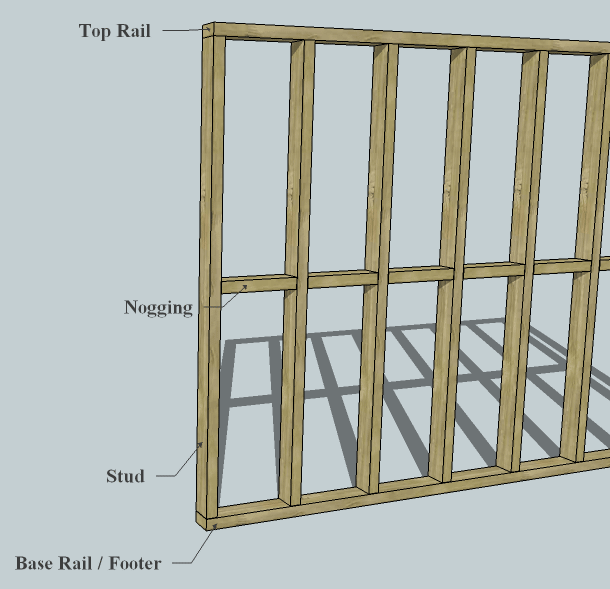
wall mounting northern beaches


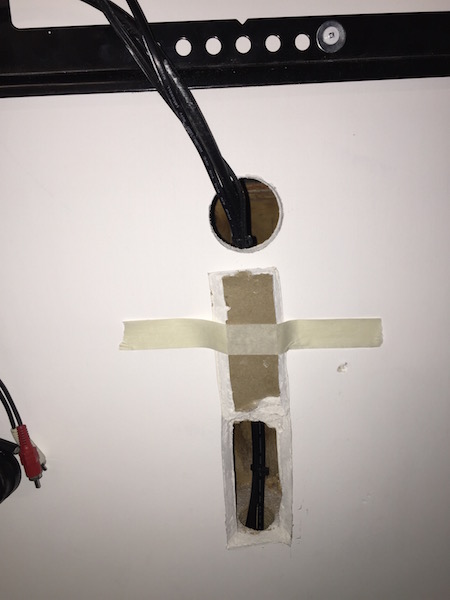
Once we are ready to Mount the TV to the wall, we have to drill a hole in the timber nogging to pass the cables through.   To achieve this, we have to cut a hole in the gyprock to expose the timber to gain access to drill the hole.

Below is the step by step guide on how to hide the cables when mounting a TV wall bracket (power cable, coax antenna cable, HDMI cables & RCA cables) through the wall.

Step 1 

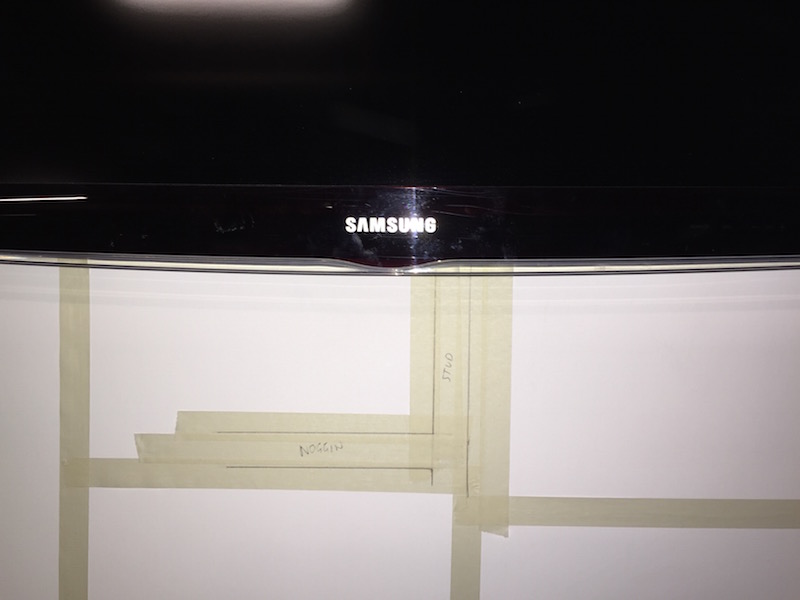
During a TV installation job where I am mounting a TV to a wall and concealing the TV cables, I use masking take to mark out the timber studs and noggings behind the gyprock wall.

wall mounting northern beaches


Step 2

Using a high quality stud finder I have accurately found the studs and noggings

wall mounting northern beaches

Step 3

I have now marked out the flap that I need to cut out.

wall mounting northern beaches

Step 4

Here is an example of how I have cut the flap and exposed the timber nogging

wall mounting northern beaches

Step 5

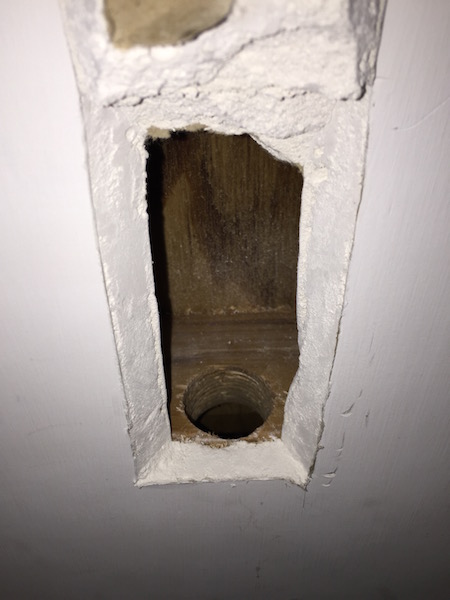
Using a 32mm drill bit I then proceed drilling through the timber.

wall mounting northern beaches

Step 6

The hole is now drilled and I can thread the TV cables through

wall mounting northern beaches

Step 7

During this stage of the TV installation, the TV cables can now be threaded through

wall mounting northern beaches

Step 8

Now I carefully close the flap back down to patch up the hole which has been created.

wall mounting northern beaches

Step 9

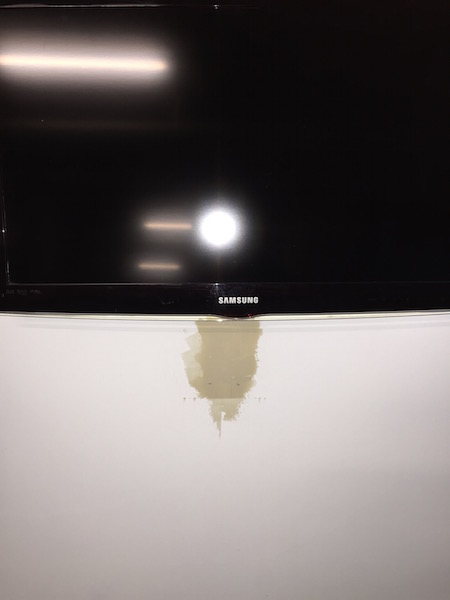
The patch has now been sanded and painted over.

wall mounting northern beaches

Overall I think it comes up well with little or no indication that we have cut into the wall.

If you would like your tv wall mounted contact Peter from That TV Guy on 0401 202 087. 

Peter has been doing tv setups, installations and wall mounting in the Northern Beaches Sydney and North Shore Sydney for the last 14 years.

tv installer northern beaches & north shore


TV Installation and Wall Mount Turramurra North Shore Sydney

TV Installation and Wall Mount Turramurra North Shore Sydney

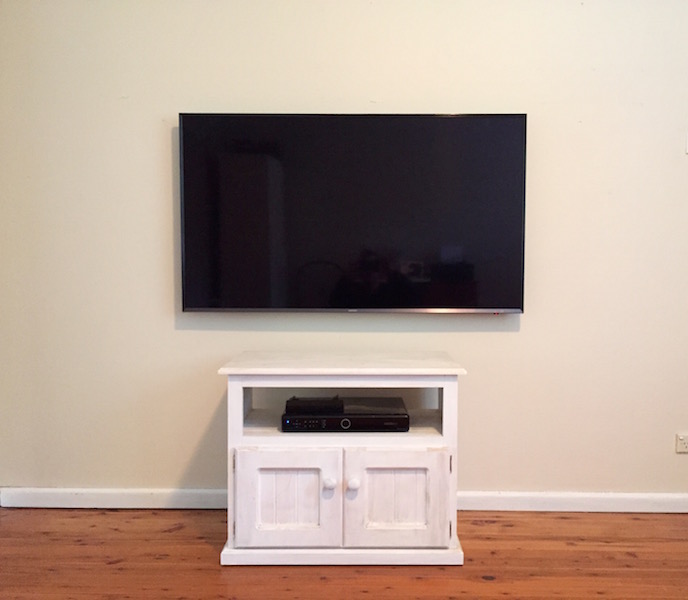
With this TV Installation and Wall Mount Turramurra North Shore Sydney the customer had just received a new Samsung Ultra HD TV and wanted the tv wall mounted and connected up to HD Foxtel.

The Foxtel outlet point was on the other side of the room so we also had to recolate the point to the side of the room where the tv was to be mounted.

Our main problem was deciding on the height to put the tv as there were lounges yet in tv room.   Since the TV cabinet was 600mm, we decided on 750mm for the tv height, which is about the average these days.

TV Installation and Wall Mount Turramurra North Shore Sydney


If you would like your new or current TV wall mounted don’t hesitate to call Peter from That TV Guy on 0401 202 087.   Your local TV installer.   Servicing the Northern Beaches and North Shore Sydney for over 14 years.

Peter can also help you with:

  • TV setup and installations (Plasma, LCD, LED Ultra HD)
  • Internet TV (Stan, Netflix etc)
  • Home theatre
  • Surround sound
  • Sound bars
  • DVD players
  • Blu-ray players
  • HDD recorders
  • PVR recorders
  • Speakers
  • Foxtel
  • Optus Fetch
  • Universal remote controls

tv installation northern beaches north shore Sydney


Contact "That TV Guy" for fast audio visual help